Learn the difference between Quick Scans and Full AI Scans, and when to use each for the best insights into your skin health.
AISkincare offers two types of skin scans, each designed for different situations. Understanding when to use each will help you get the most out of the app.
Full Scan
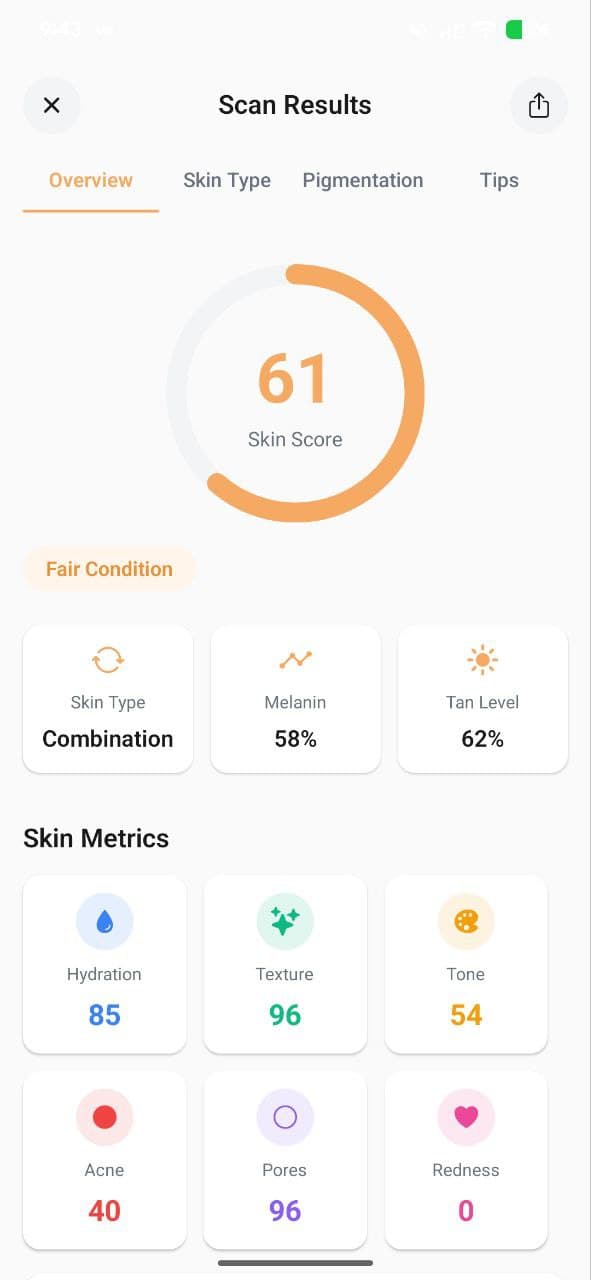
A Full Scan is AISkincare's comprehensive AI analysis. It takes a detailed photo of your face and analyzes all six skin metrics — Hydration, Texture, Tone, Acne, Pores, and Redness — providing you with a complete skin health overview.
- First thing in the morning for your daily skin check
- After making changes to your routine (to see if they're working)
- When tracking progress week-over-week
Free tier: 1 full scan per day
Pro tier: Up to 10 full scans per day
Quick Scan
A Quick Scan is a faster, lighter analysis designed for quick check-ins throughout the day. It gives you a rapid skin score without the full detailed breakdown.
- Mid-day skin checks
- After applying products to see immediate effect
- When you want a quick score without a detailed report
Free tier: 5 quick scans total
Pro tier: 25 quick scans
Guided Camera
Both scan types use our Guided Camera feature, which helps you position your face correctly, checks lighting conditions, and ensures you're in a well-lit environment for the most accurate results.
- Use natural or bright indoor lighting
- Remove makeup and skincare products first
- Face the camera directly
- Keep your face centered in the frame
Which Scan Should You Pick?
For daily tracking and building a comprehensive skin history, use Full Scans once or twice daily. Use Quick Scans for on-the-go check-ins when you don't need the full report.
Track Your Skin Metrics with AISkincare
Put this guide into practice. Get a 3-second clinical AI scan, build your custom AM/PM routine, and see measurable improvements.


BingoLabs Dermatology & AI Research Team
We build intelligent mobile healthcare and computer-vision algorithms dedicated to empowering personal skin health through science and habit consistency.
FAQ
Questions about this guide
What should I do after “Quick Scan vs Full Scan: Which One Should You Use?”?
Learn the difference between Quick Scans and Full AI Scans, and when to use each for the best insights into your skin health. If you want that advice checked against your own skin, take a scan and compare it after a few weeks of one change, not five.
Does this article diagnose a condition?
No. “Quick Scan vs Full Scan: Which One Should You Use?” is a cosmetic guide from the AISkincare team. Pain, a spreading rash, or a mark that is changing needs a clinician.
Where do the six scores mentioned here come from?
A selfie in the AISkincare app. The scan scores hydration, texture, tone, acne, pores, and redness. This article does not run that scan.
AISkincare for iOS and Android
Put this guide next to a scan you can reopen.
App Features advice is easier to judge when hydration, texture, or redness has a number. AISkincare stores that number. This page does not.
Keep going