Frequently Asked Questions
Scans, routines, Free and Pro, privacy, and the browser tools. Every answer is on this page.
General
What is AISkincare?
AISkincare is an AI-powered skincare companion app that helps you understand your skin through advanced facial analysis. Simply take a selfie, and our AI will analyze your skin's hydration, texture, tone, and more, providing personalized skincare recommendations and routines.
How accurate is the AI skin analysis?
Our AI models are trained on millions of skin images and validated by dermatologists. While we provide dermatologist-level accuracy for general skin analysis, we recommend consulting with a healthcare professional for specific skin conditions or medical advice.
Is AISkincare suitable for all skin types?
Yes! AISkincare is designed to work with all skin types, tones, and concerns. Our AI adapts its analysis and recommendations based on your unique skin characteristics.
Is an AISkincare scan a medical diagnosis?
No. A scan is a cosmetic self-check of hydration, texture, tone, acne, pores, and redness. It does not diagnose acne type, rosacea, infection, or any other condition. See a clinician for symptoms that hurt, spread, or do not settle.
Do the free browser tools replace the app?
No. A browser tool answers one question and then stops. Photo tools measure a picture on your device and do not upload it. The app is where a scan is saved, an AM/PM routine is kept, and the next scan can be compared with the last one.
Does AISkincare score attractiveness or match me to a celebrity?
No. The app returns six skin scores. Face tools on the website report proportions such as face shape, eye spacing, or symmetry. None of them produce an attractiveness score or a celebrity lookalike.
App & Features
How do I take a good skin scan photo?
For the best results: 1) Use natural lighting or bright indoor light, 2) Remove makeup and skincare products, 3) Face the camera directly, 4) Keep your face centered in the frame. Our in-app guide will help you capture the perfect photo.
What do the different skin metrics mean?
We analyze six key metrics: Hydration (moisture levels), Texture (smoothness), Tone (evenness), Acne (breakouts), Pores (visibility), and Redness (inflammation). Each metric is scored from 0-100, with higher scores indicating healthier skin in that area.
How often should I scan my skin?
We recommend scanning twice daily (morning and evening) for the best progress tracking. However, even weekly scans can provide valuable insights. The app will send you reminders to help you stay consistent.
What is the streak feature?
Streaks track your consistency in completing your skincare routine. Each day you complete your morning or evening routine, your streak increases. Maintaining streaks unlocks achievements and helps build lasting skincare habits.
How does the Product Shelf & Barcode Scanner work?
You can add skincare products to your digital shelf either manually or by scanning their barcode with your camera. The app stores product details, checks ingredients, and helps you track what you’re using every day in your routines.
What is the Symptom Diary?
The Symptom Diary lets you log daily skin symptoms like dryness, irritation, breakouts, or redness with severity levels. Over time, this helps you identify patterns and triggers that affect your skin.
What are Challenges?
Challenges are time-limited skincare goals that encourage you to build healthy habits — like completing 7 days of your routine, scanning daily for a week, or logging symptoms for 5 days. Completing challenges earns you achievement points.
Can I get weekly skin reports?
Yes! AISkincare generates a Weekly Summary report that shows your scan trends, routine consistency, and overall skin score changes. You can also create a shareable Skin Report Card to share progress with friends or your dermatologist.
What is the difference between Quick Scan and Full Scan?
A full scan scores hydration, texture, tone, acne, pores, and redness, including a zone split. A quick scan is a shorter check-in and does not replace that six-score record. Free includes 1 full scan per day and 5 quick scans total. Pro includes 10 full scans per day and 25 quick scans.
Can I compare a new scan with an older one?
Yes, in the app. Saved scans keep the same six score names, so you can see whether a routine change moved hydration, texture, tone, acne, pores, or redness. Use similar light and distance each time, or the comparison mostly records the room.
How is the morning and evening routine chosen?
The app builds an AM and PM list from the scan and from products already on your shelf. It is a routine to repeat and then recheck, not a prescription. Change one product at a time so the next scan has a clear baseline.
Subscription
Is AISkincare free to use?
AISkincare offers a free tier with 5 products, 1 routine, 1 full scan per day, 5 quick scans total, basic analysis, and streak tracking. For 100 products, 10 routines, 10 full scans per day, 25 quick scans, full AI insights (Skin Type, Pigmentation, Recommendations), and premium features, you can upgrade to Pro at $4.99/month or $59.88/year.
How do I cancel my subscription?
You can cancel your subscription anytime through your device's app store (App Store for iOS, Google Play for Android). Go to Settings > Subscriptions > AISkincare, and select Cancel. You'll retain Pro access until the end of your billing period.
Is there a free trial for Pro?
Yes! New users get a 7-day free trial of Pro when they first download the app. You can explore all premium features before deciding to subscribe.
Where do I change or cancel Pro?
Billing is handled by the store that charged you. On iPhone or iPad, open Settings, then Subscriptions. On Android, open Google Play, then Payments & subscriptions. Canceling keeps Pro until the end of the period you already paid for.
How do refunds work?
Apple and Google issue refunds for purchases made in their stores. Request the refund from the App Store or Google Play order history. AISkincare cannot reverse a charge that the store still shows as completed.
Does Pro follow me between iPhone and Android?
Pro is tied to your AISkincare account, so a routine and scan history can open on either phone after you sign in. The charge itself stays with the Apple or Google account that bought it.
Privacy & Security
How is my skin data protected?
Your privacy is our top priority. All skin photos and analysis data are encrypted end-to-end and stored securely. We never sell your data to third parties. You can delete your data at any time from the app settings.
Are my photos shared with anyone?
No. Your photos are processed by our AI for analysis only and are never shared with third parties, used for advertising, or visible to other users. You have full control over your data.
Can I delete my account and data?
Yes. Go to Settings > Account > Delete Account in the app. This will permanently delete your account and all associated data, including scan history and photos. This action cannot be undone.
Do the browser photo tools upload my picture?
No. Face landmarks and color are measured in the browser tab. The photo is not sent to AISkincare. Closing the tab drops it. A scan you save in the app is a different path: that photo is stored with your account so later scans can be compared.
Can I delete a single scan?
Yes. Remove a scan from its detail screen in the app. That deletes that result from your history. Deleting the whole account is a separate step under Settings > Account.
Technical
What devices are supported?
AISkincare is available on iOS (iPhone and iPad running iOS 15+) and Android (devices running Android 8.0+). We recommend devices with at least 3GB of RAM for optimal performance.
The app is running slowly. What can I do?
Try these steps: 1) Close and reopen the app, 2) Ensure you have a stable internet connection, 3) Update to the latest app version, 4) Restart your device. If issues persist, contact our support team.
My scan results seem inaccurate. What should I do?
Ensure you're taking photos in good lighting conditions and following the in-app guidelines. If results still seem off, try retaking the scan. For persistent issues, contact support with your scan ID.
Why does “Use my camera” ask for permission?
Browser photo tools use the camera only after you allow it. On a computer, choose Allow in the browser prompt. If you previously blocked the site, enable the camera for aiskincare.app in the browser site settings, then reload. You can also upload a photo instead.
Which browsers can run the photo tools?
Current Chrome, Edge, Safari, and Firefox on a phone or computer. The page needs WebAssembly and, for the live camera, permission to use the webcam. A file upload still works if the camera is unavailable.
Still Have Questions?
Can't find what you're looking for? Our support team is here to help.
Contact Support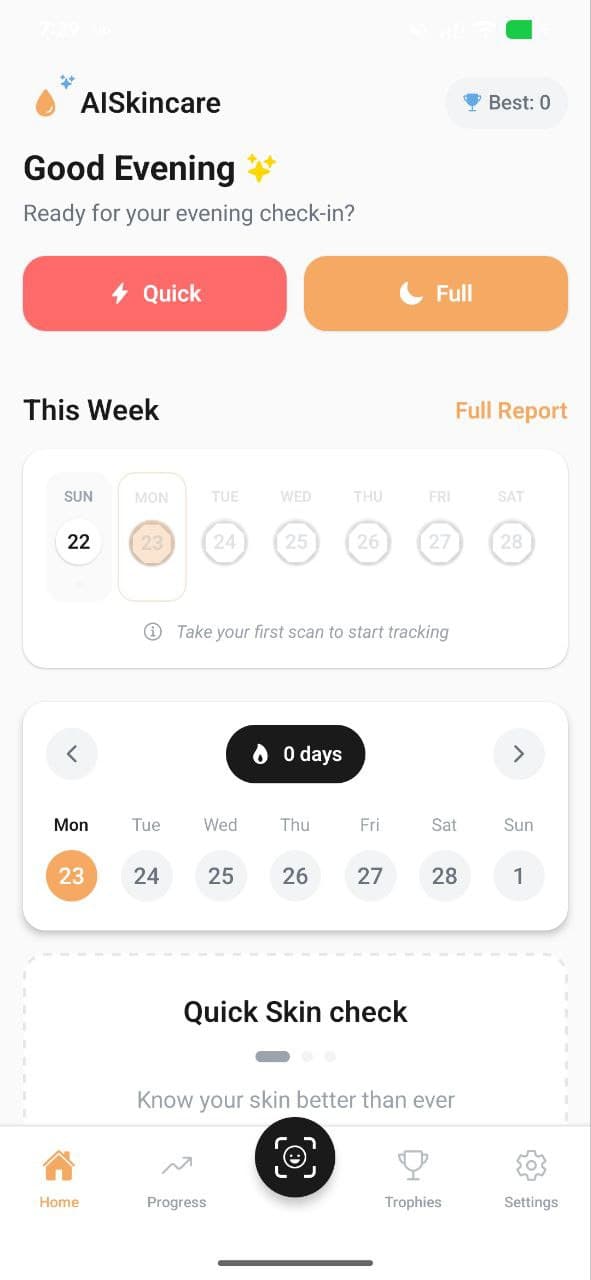
AISkincare for iOS and Android
The short answers are above. The scan is in the app.
If the FAQ covered your question, the next useful step is a saved scan: six scores and a routine you can check again. Download AISkincare on the store for your phone.


Keep going